
Church Management Software: How to Choose
What church management software does, prices read October 12, 2026 for Planning Center, Breeze, ChurchTrac, ChMeetings, Elvanto and Rock RMS, the export test, and how to switch.
Every price here was read off the vendor's own page on October 12, 2026.
On this page
Church management software, often shortened to ChMS, keeps your church’s people in one place: members and households, attendance, giving records, groups, the children checked in on Sunday, and the volunteers on the schedule. Before you compare prices, ask the person who will use it every week to try the two or three you like best.
Every price on this page was read off the vendor’s own pricing page on October 12, 2026. Prices change, so check the page before you sign anything.
What you are buying
A ChMS does some or all of these jobs, and vendors charge for them in different ways.
| Job | What it covers |
|---|---|
| People | Members, regular attenders, households, notes and the member directory |
| Giving | Online gifts, recorded checks and cash, and the year-end statement each giver needs for taxes |
| Check-in | Children’s check-in with name tags and a matching pickup tag for the parent |
| Groups | Rosters, attendance and messages for Sunday school classes and home groups |
| Scheduling | Volunteers for each Sunday, with reminders and their replies |
| Worship planning | The order of service, songs, keys and who is playing |
| Messages | Email and texts to the whole church or to one group |
The giving job ends in a year-end statement for each giver, and it shows how much of a ChMS is plain record keeping. Type a giver and three gifts to see one. The free tool builds a statement for every giver from a spreadsheet of gifts.
Free tool you can try here
See a giving statement
Type a giver and three gifts. The real tool does this for every giver from one spreadsheet.
This free tool is made by Church Posting.
Cedar Hill Baptist Church
Contribution statement for 2026
Michael and Hannah Brooks
| Total gifts | $700.00 |
|---|
The church provided no goods or services in exchange for these gifts, other than intangible religious benefits.
The tool is free, reads your spreadsheet without it leaving your computer and opens with your church name.
Write down which of these your church needs this year before you look at a single price. Some systems charge one flat price for all of it, some charge by the number of people in your database, and Planning Center charges for each job separately.
Prices for a church of about 250 people
“People” here means names in the database: members, regular attenders and children. That number is larger than your Sunday attendance, so count the names before you compare prices.
| System | How the price is counted | Price at about 250 people | Free plan or trial |
|---|---|---|---|
| Planning Center | Each product priced by use; People is free | From $0; $128 a month for four products at the second step (see below) | Every product has a free level |
| Breeze (now Tithely Church Management) | One flat price | $72 a month | 30-day free trial |
| ChurchTrac | Names in the database, everything included | $59 a month for up to 250 names | 30-day free trial, no card |
| ChMeetings | People in the database | $25 a month for up to 250 people | Free for up to 50 people |
| Elvanto | Active adults only | $78 a month for 200 adults, plus a $149 setup fee | Not stated on the price page |
| Rock RMS | Free license, paid hosting | About $405 to $419 a month for hosting | The software is free |
| Realm, Pushpay, Subsplash | Quote only | Not published | Ask the vendor |
Planning Center
Planning Center People, the membership database, is free for every church of any size. Its own page says so: “People is free for every church, regardless of church size and whether or not you use any of our other products.”
The other products each have a small free level and then a price ladder of $15, $32, $69, $115, $179 and $239 a month. Check-Ins is free up to 10 check-ins a day, Groups up to 15 group members, Giving up to 10 gifts a month, and Services (the worship planning and volunteer product) up to 5 team members.
So the bill depends on what you turn on. A church of about 250 that uses Check-Ins for up to 75 children a day, Groups for up to 200 members, Giving for up to 200 gifts a month and Services for up to 50 volunteers pays $32 for each, or $128 a month. A smaller church at the first paid step of each pays $15 apiece, or $60. Online gifts cost 2.15% plus $0.30 by card and $0.30 by bank transfer.
Planning Center draws about 200,000 Google searches a month in the United States, far more than any other system here, so a new volunteer may have used it at another church. Its weakness is the bill, because each product is priced separately and the total moves every time a ministry grows.
Breeze, now Tithely Church Management
Breeze costs $72 a month with no setup fee and no contract, and it includes unlimited people and online giving with no monthly charge, though each gift carries a processing fee. Texting includes 250 messages a month, then $10 for each 500, and worship tools are a $29 add-on. Breeze is owned by Tithely, and its home page now reads “Breeze ChMS has been rebranded as Tithely Church Management.” Tithely sells the same thing at $72 a month and sells a bundle with its website and app tools, called All Access, at $119.
Breeze sells itself as the easiest ChMS to learn. A church of 250 people or fewer pays more for it than for ChurchTrac or ChMeetings, so try it beside one of them before you pay the difference.
ChurchTrac
ChurchTrac charges by the number of names you keep: $29 a month for 75 names, $39 for 125, $59 for 250, $79 for 500, $99 for 1,000 and $119 for unlimited names, and paying yearly saves 10%. Every size includes fund accounting (books that keep each fund’s money separate), giving, check-in, worship planning, groups, volunteers and basic messaging. Two-way texting is a $7 monthly add-on with 250 message credits a month, and one credit sends one text to one person.
These prices are higher than the ones we read on July 29, 2026, when the same sizes ran $9 to $90 a month and accounting was a $15 add-on. ChurchTrac now sells one product with everything in it, which fits a small church that wants its books and its people in one system.
ChMeetings
ChMeetings is free for up to 50 people and 50 gifts a month. Paid plans run $12 a month for 100 people, $25 for 250, $40 for 500, $50 for 1,000 and $60 for unlimited, and paying yearly costs ten months instead of twelve. The free plan leaves out email, volunteer scheduling, worship planning and the accounting module.
ChMeetings costs less than ChurchTrac, Breeze and Elvanto at every size listed here. Run a trial with your own data before you commit.
Elvanto
Elvanto, also owned by Tithely, counts only active adults, so children do not raise the price. It costs $19 a month for 50 adults, $39 for 100, $78 for 200 and $122 for 300, with a $149 setup fee on each plan, and paying yearly takes 20% off.
Rock RMS
Rock RMS is free to download and run for a church. Its license allows use “solely for internal use by faith based organizations,” and Rock asks each church to pledge $4.45 a year for each person in average weekend attendance. Hosting is where the money goes, with RockCloud charging $419 a month for up to 1,000 attendees, pledge included, and 9 Embers charging $405 a month, both plus a $249 setup fee. Rock suits a large church with a staff member who can run it.
Realm, Pushpay and Subsplash
These three publish no price for their church management plans. Pushpay says it offers one-, two- and three-year contracts. Ask each for the yearly total in writing, for your size and for one size up, before you book a demo.
Run the export test before you sign
Churches change software, and the records belong to the church. Before you sign, export your people and your giving history and open the file. Planning Center People sends a CSV (a spreadsheet file) of “all data for every profile in your database,” and its Giving reports export to CSV as well. Breeze exports people, tags (labels you put on people), events, contributions and notes to Excel. ChurchTrac exports many reports to CSV, and most giving reports as PDF or CSV.
Ask every vendor on your list whether a staff member can export every person, every gift and every custom field (the extra details your church added) without calling support, and have them show you the button while you watch.
How to choose in three weeks
| Week | What to do |
|---|---|
| One | Count your numbers: names in the database, children checked in on a normal Sunday, online gifts last month, volunteers on the schedule, and groups. Those numbers set your price on every system above. |
| Two | Pick two systems and start free trials. Read each vendor’s privacy terms, then import twenty families and a month of giving from your own records, and delete the trial if you do not buy. Have the person who will use it every week do the work, because a demo on the vendor’s sample data will not show you how your own records look. |
| Three | Run the export test on both, get the yearly price in writing for your size and the next size up, and decide. |
Once you decide, move people first, then giving history, then groups and check-in, and keep the old system open for one month.
Add up what the stack costs for a year before you decide, because the software is only a part of it. The calculator below does texting, and the full tool adds records, giving fees and streaming.
Free tool you can try here
What texting costs for a year
Type how many texts your church sends in a month and see the yearly cost on each service that publishes a price.
This free tool is made by Church Posting.
The calculator is free, and the full version adds church management, giving and streaming to the same sheet.
Covenant OS, from Church Posting
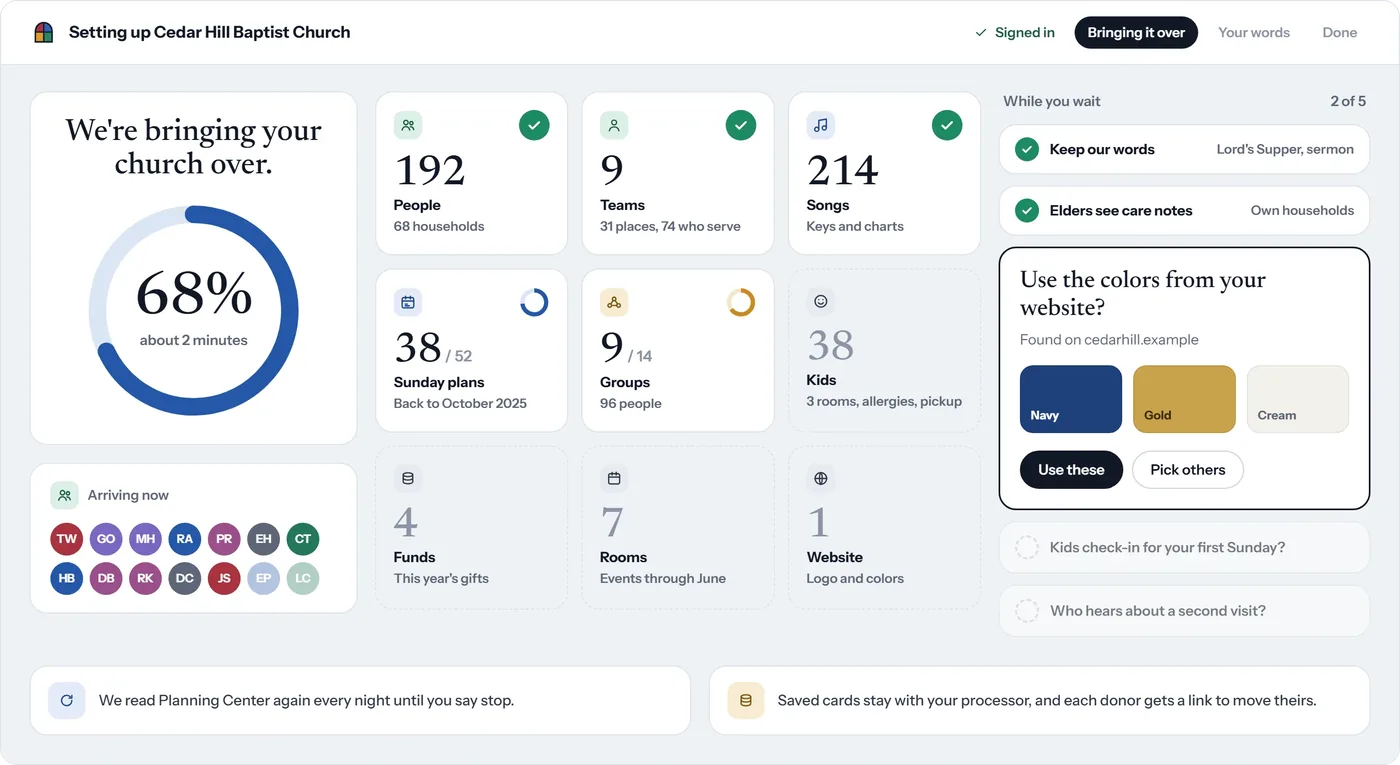
Covenant OS is church management software for worship planning, members, giving and communication, and Church Posting makes it. We have left it out of the comparison above. It is being built to bring your records over from Planning Center and the other systems on this page. This is the screen a church sees while its records come over, drawn with a sample church.
A church that wants a system costing nothing should read free church management software. For giving fees in dollars, see what giving platforms cost, and for the books, church accounting software.
Pages cited
- Planning Center Pricing: Only Pay for What Your Church Needs, Planning Center. Read October 12, 2026.
- Planning Center People: Membership Management, Planning Center. Read October 12, 2026.
- Planning Center Check-Ins, Planning Center. Read October 12, 2026.
- Planning Center Giving, Planning Center. Read October 12, 2026.
- Export data, Planning Center. Read October 12, 2026.
- Pricing for Breeze ChMS, Breeze, a Tithe.ly company. Read October 12, 2026.
- Exporting Your Data, Breeze. Read October 12, 2026.
- Free Church Giving + Pricing for ChMS, Websites, and Apps, Tithely. Read October 12, 2026.
- Pricing | ChurchTrac - Church Management Software - ChMS, ChurchTrac. Read October 12, 2026.
- Using Reports | ChurchTrac Support, ChurchTrac. Read October 12, 2026.
- Pay for Your Church Size | Church Management Software Prices, ChMeetings. Read October 12, 2026.
- Pricing | Elvanto - Church Management Software, Elvanto, a Tithe.ly company. Read October 12, 2026.
- Plans - Realm by ACS Technologies, ACS Technologies. Read October 12, 2026.
- Pricing | Pushpay | Pricing Plans for Pushpay Digital Solutions, Pushpay. Read October 12, 2026.
- Subsplash Pricing & Packages, Subsplash. Read October 12, 2026.
- License | Rock RMS, Spark Development Network. Read October 12, 2026.
- Pricing | Affordable for Every Church | Rock RMS, Spark Development Network. Read October 12, 2026.
- Pricing | Rock RMS Cloud Hosting | RockCloud, RockCloud. Read October 12, 2026.
- Cloud 9 Managed Hosting | 9 Embers, 9 Embers. Read October 12, 2026.
Church Administrator jobs
Churches have 22 open church administratorjobs on Church Posting , including Events & Hospitality Administrator at The Vineyard Church of Central Illinois and Office Manager - Elgin at New Life Community Church .
More on software
All software articlesClergy housing allowance: how it works and what the church has to do
How a minister's housing allowance works under IRS Publication 517: the three limits on it, the designation a church makes in advance, Social Security and Medicare tax, and the pastor's W-2.
Church live streaming: three setups, the equipment for each and where to send the stream
How to stream a church service with a phone, one camera or several, with the sound feed, the internet speed YouTube asks for, the song license, and two streaming services' prices read October 13, 2026.
Online giving for churches: what each platform costs in fees
Fees read October 13, 2026 for Planning Center, Tithely, Givelify, Subsplash, Anedot, Zeffy and Stripe, worked out in dollars for a church that receives $100,000 a year in online gifts.
The weekly email
Join the list for the weekly email of new articles, free tools and job postings. It has not started sending yet.